Embark on a hilarious and relatable journey into the chaos of DIY computer upgrades, where tangled wires, incompatible parts, and unexpected mishaps turn what should be a straightforward task into a comedy of errors. From installing RAM backward to wrestling with stubborn cables and discovering surprises like a tiny hamster nesting inside your case, these stories highlight the unpredictable nature of hardware tinkering. Despite the frustration, the process becomes a lesson in patience, humor, and resilience—transforming setbacks into memorable tales. This guide reveals how embracing chaos, planning carefully, and maintaining a lighthearted attitude can turn daunting upgrades into rewarding adventures. Are you ready to navigate the hilarious world of DIY tech upgrades, learning not just about hardware but about yourself along the way? In the end, every mistake becomes a badge of honor, proof of growth, and a story worth sharing—because the journey is just as important as the destination.
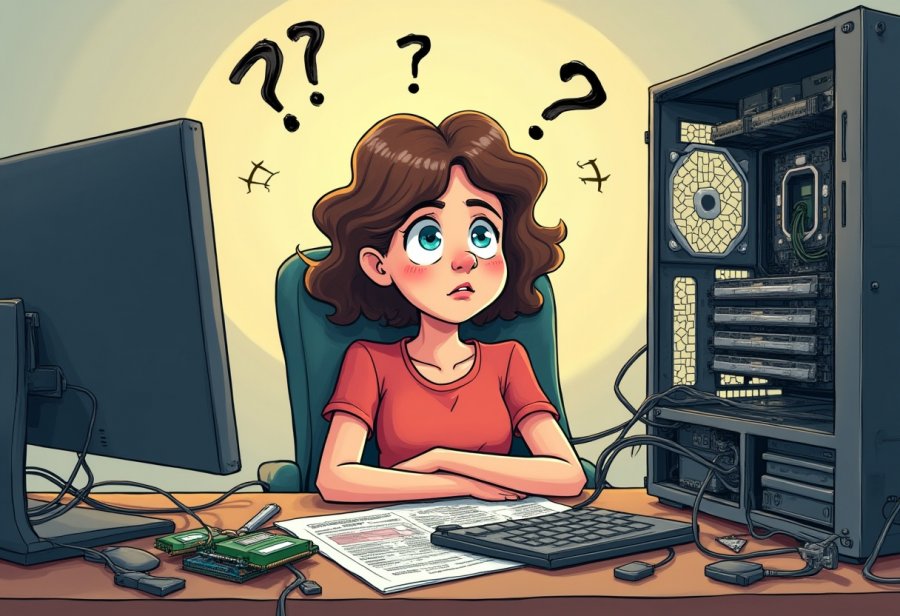
The Hilarious Chaos of DIY Computer Upgrades
Ever attempted to upgrade your computer yourself? If so, you’ve probably learned that it’s rarely the straightforward, sleek process you might imagine. Instead, it often unfolds as a comedy of errors—cables tangled like spaghetti, screws that seem to vanish into thin air, and surprise roadblocks around every corner. What begins as a simple plan to boost your machine’s speed or add storage quickly spirals into a chaotic adventure that feels more like an obstacle course than a technical upgrade. Enthusiasts find themselves elbow-deep in hardware, surrounded by manuals, tools, and parts, wondering how everything got so complicated so fast.
Most DIY upgrade sessions happen in cluttered corners or makeshift workspaces that resemble a junkyard more than a workshop. The motivation is clear: you want a faster, more capable computer. But the reality is often a messy scene of cables spilling out in every direction, tools scattered, and a sense of anticipation mixed with growing frustration. It’s like taking a leap of faith—one wrong move, and everything could go sideways. Yet, despite the chaos, there’s a strange thrill in tinkering, a sense of adventure that keeps many returning to the task again and again.
People start with high hopes—installing a new GPU, upgrading RAM, or swapping out the processor—dreaming of lightning-fast load times and smooth gaming. But hardware upgrades rarely go as smoothly as planned. More often than not, they encounter incompatible parts, tangled wires, or components that simply refuse to cooperate. Moments of confusion, frustration, and unexpected mishaps turn what should be a simple task into a comedy of errors that feels painfully familiar.
And then there are the mishaps—the classic scenes that make everyone laugh later. Installing RAM only to find the system won’t boot, or pushing a graphics card in at just the wrong angle, are common enough. Cable spaghetti, static shocks, and forgotten power connectors are all part of the journey. These small mistakes pile up quickly, transforming what should be a quick upgrade into a series of frantic troubleshooting sessions. Yet, in the end, they often become stories that make everyone laugh once the dust settles.
Handling all this chaos requires patience, a good sense of humor, and a willingness to accept that mistakes are part of the process. Rushing or skipping steps can lead to costly errors or hardware damage, so taking your time is key. Labeling cables, planning your steps, and double-checking connections can save hours of headache later on. The trick is to approach the process with a relaxed attitude—after all, every tangled wire or failed attempt is just another story to tell, another lesson learned.
In the end, upgrading your computer on your own isn’t just about faster hardware; it’s about embracing the chaos, laughing at the mishaps, and enjoying the journey. Every mistake, no matter how small, becomes part of the adventure—proof that you’re learning and growing as a builder. So next time you dive into an upgrade, remember: the chaos is part of the fun, and the stories you’ll tell afterward are what make the experience truly memorable.
The Comedy of Tech Upgrade Mishaps
Pulling off a DIY computer upgrade often results in stories that are equal parts hilarious and frustrating. Take the classic mistake of installing a RAM stick only to find the system won’t boot. After hours of troubleshooting, it turns out the module was inserted backward—an easy rookie error that causes chaos until it’s simply flipped around. Moments like these remind you how something so small can throw everything into disarray, but also how easy it is to laugh at yourself once the problem’s fixed.
Cable spaghetti is another common scene in the DIY world. As you add a new graphics card or extra drives, wires quickly multiply into a tangled web. What begins as a neat setup devolves into a chaotic tangle of power cords, data cables, and fan wires, resembling more a plate of pasta than a clean build. Untangling this mess often involves yanking and pulling, with plenty of patience and a few curses along the way. But once everything is sorted, the sense of relief is almost as satisfying as the upgrade itself.
Sometimes hardware just refuses to cooperate. Pushing a graphics card into a PCIe slot might take force—only to realize it’s not fully seated. Power cables can be stubborn, either plugged into the wrong ports or missing entirely, leading to a system that won’t turn on or fires up with errors. Static shocks are the sneakiest hazard—touching a metal case just as you’re handling sensitive components can fry the motherboard, turning a simple upgrade into a costly fix. These small errors pile up, transforming what should be a quick job into a series of troubleshooting episodes.
Incompatibility issues add another layer of humor. Buying a CPU or GPU without double-checking socket compatibility or case dimensions often results in surprises. One builder bought a GPU that was too long for their case, only to realize it was longer than expected. The scene of trying to squeeze the giant card into a tiny enclosure, debating whether to modify the case or return the part, turns a straightforward upgrade into a comedy sketch. These moments teach patience and the importance of research before shopping.
There’s also humor in the unexpected discoveries. One builder found a tiny hamster nesting inside their PC case, having wandered in through a vent. Seeing that little face staring back turned a frustrating day into a memorable laugh. These surprises remind us that chaos often comes with a side of absurdity, making the journey more entertaining. They’re stories that stay with you, showing that even in the mess, there’s room for a good laugh.
Most importantly, mistakes happen to everyone. A static shock, a loose screw, or a tangled mess of wires—these are part of the process. The key isn’t perfection but patience and humor. Laughing at the mishaps keeps spirits high and transforms setbacks into stories worth sharing. Over time, what once seemed overwhelming becomes just another step in mastering the art of DIY upgrades, with each failure a lesson learned and a story to tell.

Mastering the Art of Managing Upgrade Chaos
When it comes to managing the chaos of a DIY upgrade, organization is your best friend. Before opening your case, gather all necessary tools—screwdrivers, thermal paste, anti-static wristbands—and clear a clean, spacious workspace. Laying out your components and tools helps prevent losing tiny screws or mixing up parts, making the process smoother. Label each cable as you disconnect it, using masking tape and a marker. This simple step saves time and frustration during reassembly, turning what could be a confusing puzzle into a straightforward task.
Cable management often feels like the biggest headache, but a little planning makes a huge difference. As you connect new hardware—be it a graphics card, extra drives, or fans—route cables along case edges and secure them with zip ties or Velcro strips. When untangling existing wires, work slowly and carefully. Rushing tends to lead to accidental disconnections or damage. A tidy wiring setup not only looks better but also improves airflow and simplifies troubleshooting if issues arise later. Think of it as creating a map for yourself, rather than wandering through a tangled maze.
If a component doesn’t fit or work right away, resist the urge to force it. Compatibility issues are common pitfalls. Double-check manuals and online guides before applying pressure. For example, if a graphics card feels tight in the PCIe slot, remove and reinsert it gently, ensuring it’s aligned properly. Confirm all power and data connections before powering up. Rushing through these details often causes avoidable problems. Taking extra moments now prevents hours of troubleshooting later on.
Patience is key. Avoid rushing, especially when dealing with sensitive parts. Ground yourself properly to prevent static shocks, and pause if something isn’t working. Revisit your connections, verify component compatibility, and review your steps. Spending a few extra minutes ensures everything is correctly seated and connected, reducing the risk of hardware damage or system instability. Remember, mistakes made in haste tend to cost more time fixing later.
Approach setbacks with humor and calm. When cables tangle or hardware refuses to cooperate, step back, take a deep breath, and treat it as part of the learning process. Often, what seems like a disaster is just a small hurdle that can be overcome with patience. Having a relaxed attitude turns frustration into a learning experience, making the whole upgrade more enjoyable. Over time, these moments of chaos become stories you’ll laugh about and lessons that boost your confidence.
Finally, keep a sense of perspective. Each challenge you face is a step towards becoming more skilled and self-reliant. With a little preparation, patience, and humor, what initially feels overwhelming becomes manageable. Embrace the chaos as part of the process—each mistake and breakthrough adds to your knowledge and confidence. When you finish, you’ll not only have a faster, more capable PC but also a satisfying story of how you navigated the hilarious, unpredictable world of DIY upgrades.
Humor and Lessons from the DIY Battlefield
DIY builders quickly learn that humor is their best tool when navigating the chaos of upgrades. Some of the funniest stories come from simple mistakes that, in the moment, seem downright ridiculous. For instance, many have installed a graphics card upside down or in the wrong slot, only to realize later that nothing displays on the screen. These moments of confusion become legendary tales, reminding everyone that even experts have their “facepalm” moments. Laughing at these mishaps keeps the process light and helps avoid stress when things go awry.
Mistakes, no matter how small, often turn into the best lessons—and the funniest stories. One builder static-shocked their motherboard right before finishing, causing everything to power down with a puff of smoke. Instead of panic, they joked about their “static shock” being so powerful it fried the system like lightning. These moments serve as a reminder to ground yourself properly and handle components gently. Humor transforms frustration into motivation, making troubleshooting less painful and more memorable.
Another common scene is tangled cables that seem to multiply overnight. Spending hours trying to untangle a web of wires becomes almost a rite of passage. Many end up crawling on their hands and knees, flashlight in mouth, searching for that one loose plug or hidden cable. These moments highlight how patience and humor turn troubleshooting from a headache into a funny story. Over time, these tangled messes teach the importance of organization from the start, saving headaches in future upgrades.
Some of the funniest lessons come from outright misjudgments about compatibility. Builders have purchased parts that just don’t fit, forcing them to re-measure or even modify components. One person bought a GPU that was too long for their case, leading to a scene of trying to squeeze the card into a tiny enclosure while debating whether to cut a hole or return the part. These mishaps teach patience and the value of thorough research before making a purchase. Humor helps keep spirits high, even when plans go sideways.
There are also surprises that catch builders off guard, like discovering a tiny hamster nesting inside their PC case. Seeing that little face peering back through the vents turned a frustrating day into a memorable laugh. Such unexpected moments remind us that chaos often comes with absurdity, making the journey more entertaining. These stories stay with you, showing that even in the mess, there’s room for humor and joy.
Most importantly, everyone makes mistakes—whether it’s a static shock, a loose screw, or tangled wires. The key isn’t perfection but patience and a good sense of humor. Laughing at mishaps keeps spirits high and transforms setbacks into stories worth sharing. Each mistake becomes a lesson that builds confidence and skills, turning chaos into a badge of honor.
In the end, these humorous moments are what make DIY upgrades memorable. They teach resilience, patience, and the importance of not taking things too seriously. When you look back, you’ll realize that the chaos, the mistakes, and the laughs are all part of the process—proof that you’re growing more capable with each challenge. Embracing the humor makes the journey not just about upgrading hardware, but about enjoying the adventure along the way.
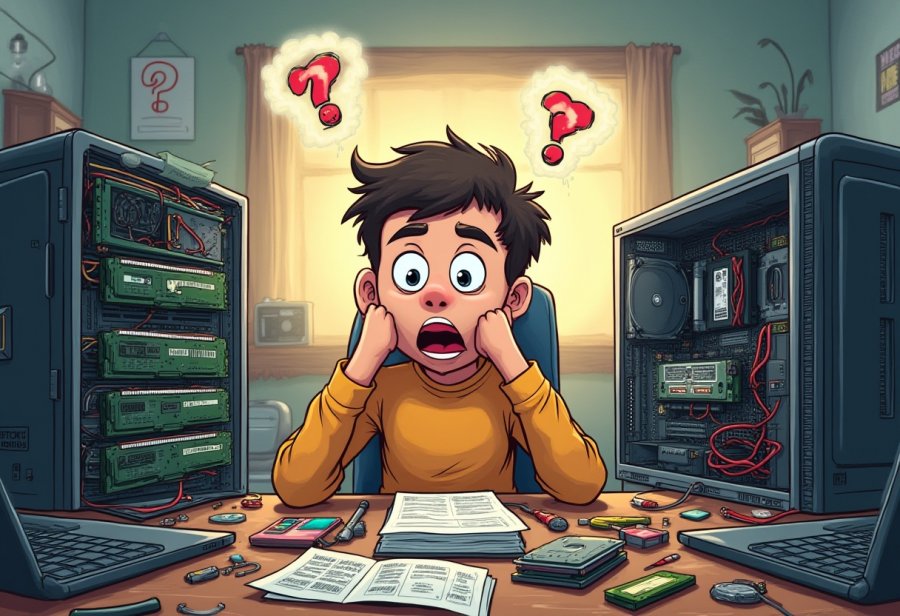
Embrace the Chaos: Celebrate Your Upgrade Journey
Upgrading your computer on your own rarely goes as smoothly as planned. More often, it turns into an unpredictable rollercoaster of tangled cables, misfitted parts, and moments where you just have to laugh at the chaos. The key isn’t avoiding mistakes—it’s learning to embrace them. Every slip-up, whether it’s a loose screw or a static shock, becomes a story worth telling and a lesson that makes you more confident for next time.
The beauty of these mishaps is that they remind you progress isn’t about perfection. It’s about patience, persistence, and a good sense of humor. Each challenge you face and overcome adds to your experience and makes future upgrades easier—and maybe even a little more fun. Over time, what once felt overwhelming becomes routine, and the stories of chaos turn into badges of honor that highlight your growing skills.
Laughing at your mistakes keeps frustration at bay and turns setbacks into shared moments of levity. Whether it’s a tangled web of cables or a stubborn component that refuses to cooperate, humor transforms stress into a catalyst for growth. These stories will stick with you, not just as funny anecdotes but as proof that you’re mastering the art of DIY tech tinkering.
Remember, nobody gets everything perfect on the first try. Even seasoned builders have their “oops” moments. The real victory isn’t avoiding errors; it’s how you respond to them. Approaching each hiccup with patience and a smile turns setbacks into opportunities to learn and improve. That mindset makes the process more enjoyable and your skills sharper with every project.
So, when your upgrade doesn’t go as planned, take a deep breath and find the humor in it. These chaotic moments are part of the adventure, adding color and character to your journey. Each mistake is just another step toward becoming more capable and confident. The true reward isn’t just a faster PC—it’s the stories you’ll tell and the resilience you build along the way.
In the end, embracing the chaos makes the whole experience memorable and rewarding. It’s about enjoying the process, learning from every slip-up, and recognizing that the journey is just as important as the destination. Laugh at the mishaps, celebrate your progress, and keep pushing forward. Because each challenge you conquer is a testament to your growth—and the best stories are often born from the mess.